
Now on the App Store
Phew, a Breathing App
for Restless Moments
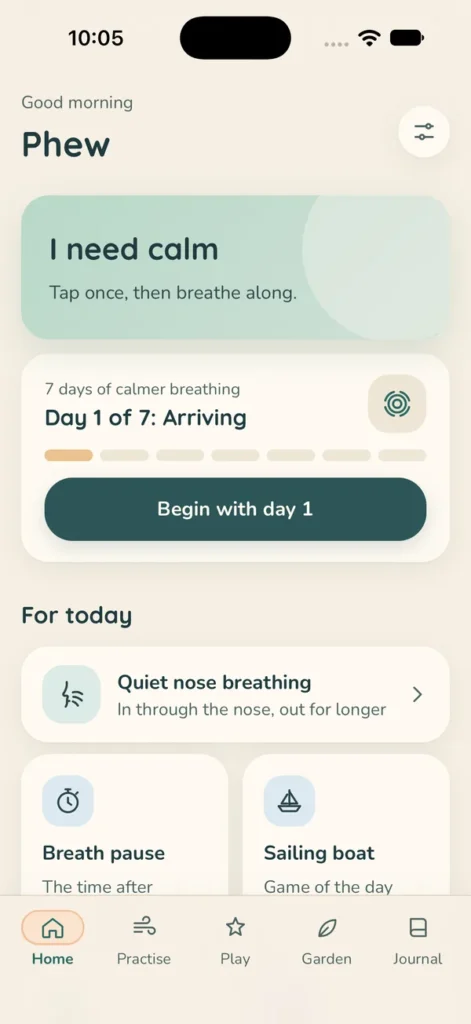
You know the feeling: your breath gets quick and shallow, and sooner or later that alone makes you restless. Phew is made for those moments. One tap on “I need calm”, and a soft breathing shape breathes with you. If you like, your hands get something to do as well.
For iPhone and iPad, in English and German. No sign-up, no ads, and your entries stay on your device.

A one-time purchase, no subscription and no further purchases. The Android version for Google Play will follow.
What Waits for You
It Starts with One Tap
Sometimes a minute with the breathing shape is enough. On other days you may want longer. Phew has something for both.
One tap when you need calm
The home screen has one button: “I need calm”. A soft shape grows and shrinks again, and you simply breathe along. There is nothing to set up and nothing to decide.
Seven breathing exercises
Quiet nose breathing, a longer out-breath, your own rhythm and four more. There is also a short breathing pause for in between, and the programme “7 days of calmer breathing” that keeps you company for a week. Want to try them first without the app? Here are 7 breathing exercises with step-by-step instructions.
14 small games
Some you play with your breath: soap bubbles, a dandelion, a feather, a candle, a boat and a misty window. Others you play with your finger, like fireflies, a lantern, waves, a pond and a hedgehog. The otter and Mali, the Siamese cat, keep you company.
Something for your hands
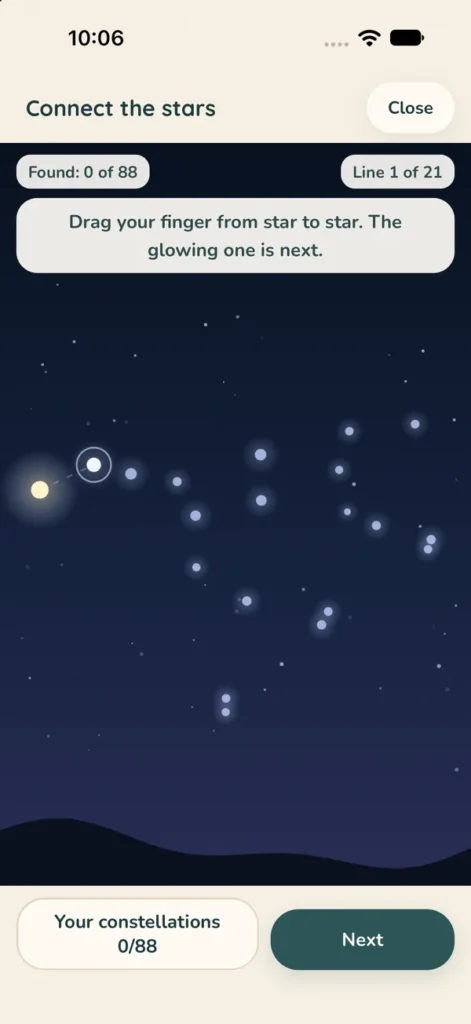
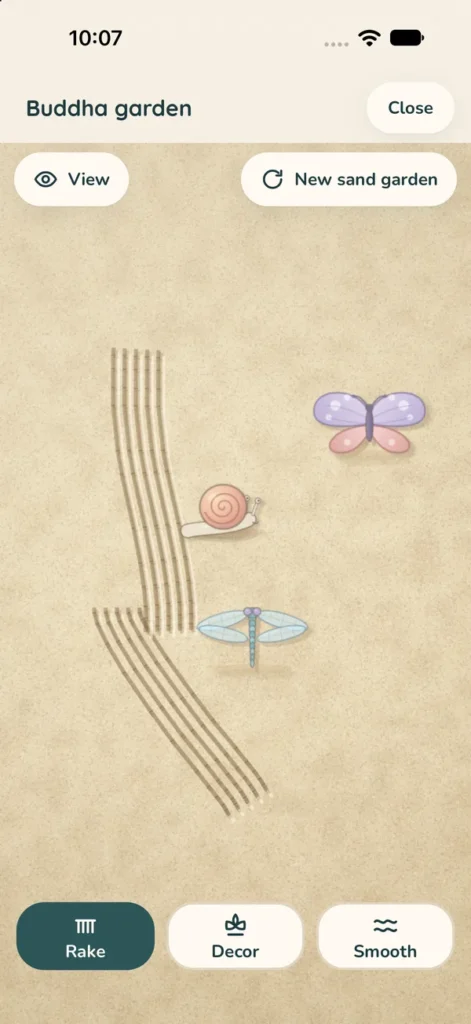
In the Buddha sand garden you rake lines into the sand and decorate it with 44 pieces. You can colour in mandalas, landscapes, spirit animals and places around the world. Or you join up all 88 real constellations and learn them as you go, untangle wool, sort stones or find five things around you.
Soundscapes you mix yourself
Sea, rain, a forest stream, a crackling fire, singing bowls, kalimba, tanpura and more. You mix your own sound and set a sleep timer. Everything keeps playing when your screen is locked.
Your garden and your diary
With every calm minute your garden grows a little. In the diary you note on a calm scale how you are doing and add a few words. If you want, you can export everything as a text file.
Night Relief
A very dark, quiet mode for the hours when you lie awake and do not want bright light. You get the breathing shape and the sounds here too.
A Look Inside
This Is How Phew Looks
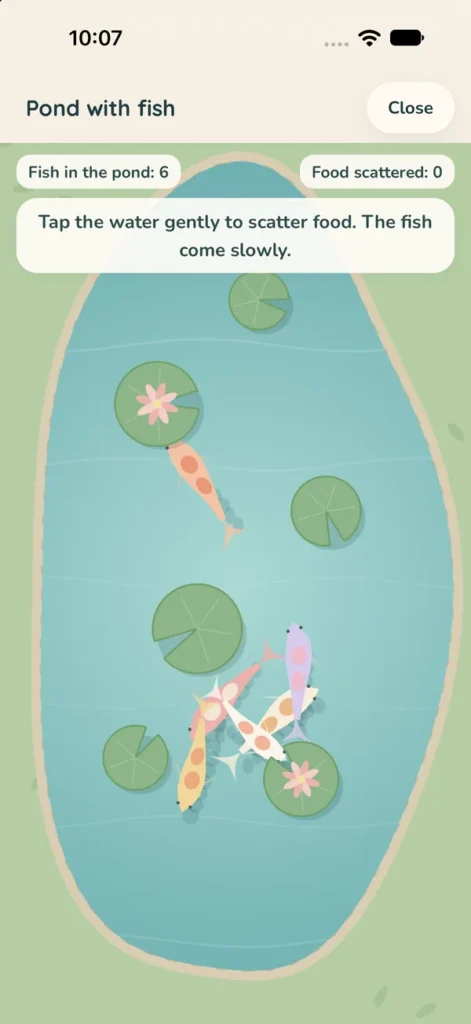
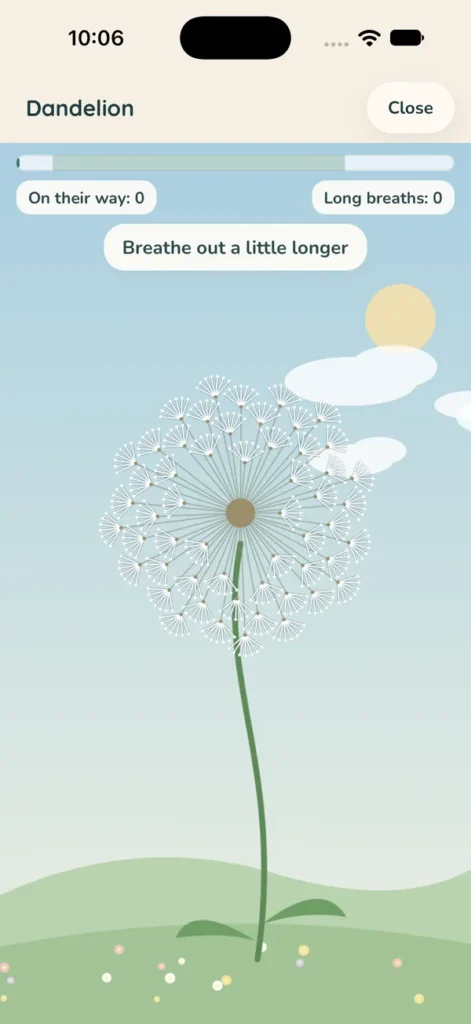
Playing with Your Breath
The Microphone Only Notices Your Out-Breath
In the breath games you blow gently towards your phone, and the soap bubble floats off or the candle flickers. For this Phew uses the microphone, but only in these games and only when you choose “Play with your breath” and allow it. Nothing is recorded, nothing is stored and nothing is sent anywhere.
If you would rather not allow the microphone, that is fine. You play the same games with your finger.
How to Begin
Four Steps, and You Are In
1
Download
Get Phew on the App Store. You do not need an account.
2
Breathe along
Tap “I need calm” and breathe with the soft shape for as long as you like.
3
Keep your hands busy
If your thoughts are still running, pick a game, the sand garden or a picture to colour in.
4
Come back
Look into your garden now and then. It shows you how many calm minutes you have already collected.
Good to Know
Questions, Gently Answered
Do I need an account?
No. There is no registration and no sign-in. You open the app and can start straight away.
Where are my diary entries stored?
On your device only. Your entries, your calm scale values and your garden are not sent to us, and we cannot read them. You can remove everything at any time with “Delete all data” in the settings.
Do I have to allow the microphone?
No. You only need the microphone if you want to play the breath games with your breath. Without it you play with your finger, and everything else in the app works just the same.
Does the sound keep playing when I put my phone down?
Yes. The soundscapes keep playing when your screen is locked. With the sleep timer they stop after the time you have set.
Are there ads in the app?
No. Phew has no ads and no tracking.
Which languages does Phew speak?
English and German.
Where can I download Phew?
For iPhone and iPad, Phew is now on the App Store as a one-time purchase. The Android version for Google Play will follow, and the link will then be on this page.
Now on the App Store
Get Phew on Your iPhone
For iPhone and iPad, with no sign-up and no ads. A one-time purchase, no subscription.
Support
Questions and Support
Do you have a question about Phew, is something not working, or would you like to tell us something? Write to info@shamanism.one and we will come back to you as soon as we can.
The app is built to gather as little as possible: no account, no analytics, no ads, no tracking. You can read the privacy policy for Phew in full.
Phew is an app for relaxing and practising and does not replace professional help.
Phew is published by VIBE & VIRAL, UNIPESSOAL LDA, Rua Hermano Neves 18, Piso 2, Escritório 4, 1600-477 Lisbon, Portugal. Contact: info@shamanism.one